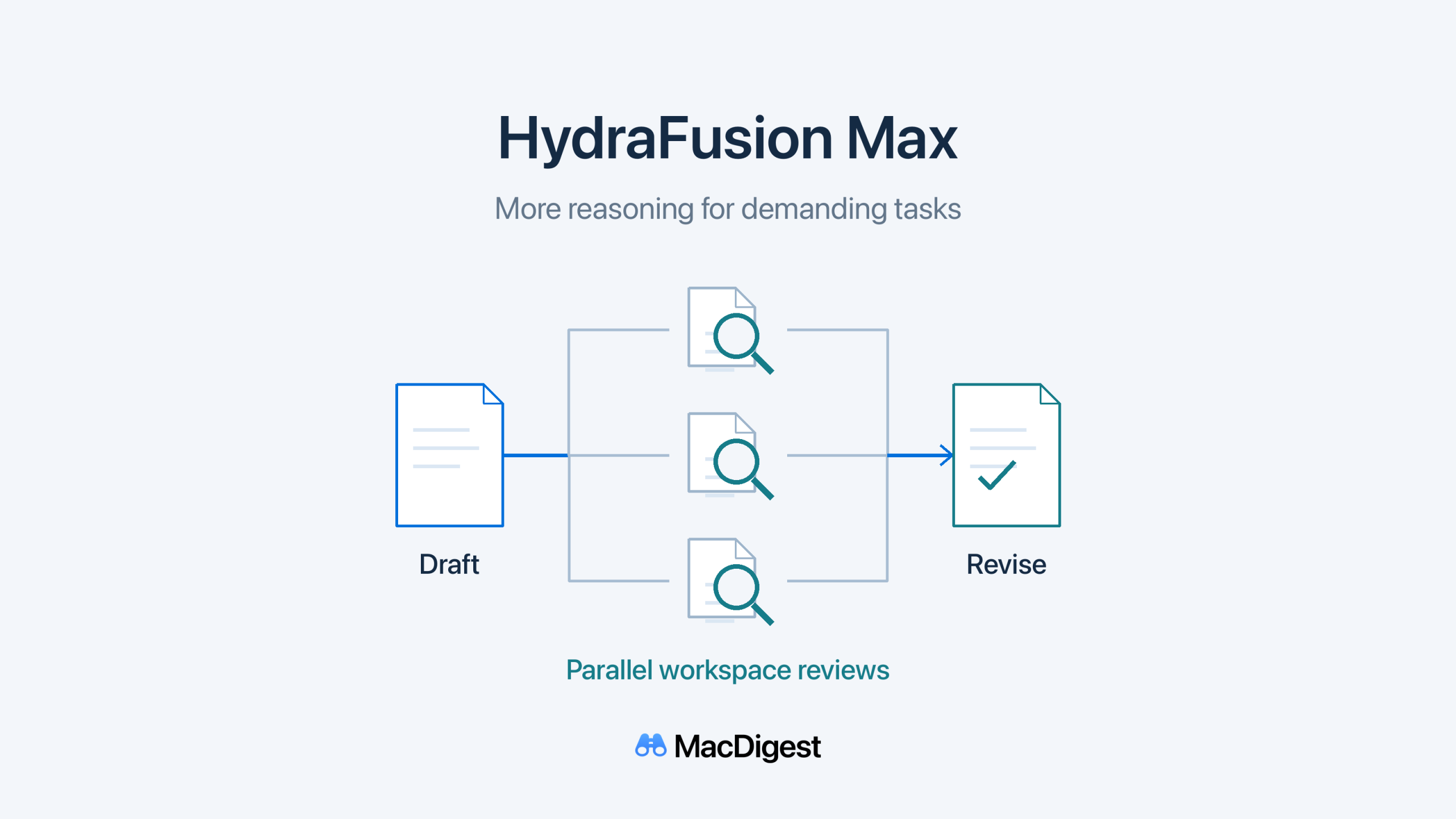
HydraFusion’s Critique workflow now uses parallel critics and direct workspace inspection. Schematic: MacDigest.
GitHub’s October 14 HydraFusion update adds a Max option and changes how Copilot coordinates models. Both options remain research previews in VS Code, the GitHub Copilot app and Copilot CLI. For Mac developers, the practical question is whether a difficult coding task warrants more reasoning, review time and AI credits.
More reasoning and workspace-aware reviews
The model pool now includes Claude Opus 5.5, GPT-6 Astra, GPT-6.1 Sol and GPT-6 Luna. HydraFusion selects models and execution patterns for each task, then delivers one response. The pool can change, and a task does not necessarily use every listed model.
Drafts now use medium reasoning effort and reviews use high effort. Cascade can add a judging step and request repairs when needed. Critique uses tools to examine the workspace directly and runs critics in parallel. Their feedback feeds a revision by the original model.
Max uses the same workflow techniques with higher reasoning effort for demanding work. GitHub’s documentation says extra-high reasoning is available.
Check access and total usage
The announcement lists Copilot Pro, Pro+, Business and Enterprise, with experimental or preview features enabled. Available models still depend on the plan and organization or enterprise policies. If the picker is missing, check those controls as well as the client setup.
VS Code needs version 1.140 or later, or Insiders, with chat.copilot.hydraFusion.enabled turned on. In the Copilot app, enable HydraFusion in Settings > Experimental.
Under GitHub’s AI-credit billing, each model used is billed at its standard rate. There is no separate HydraFusion charge, and Auto’s model-selection discount does not apply. Additional passes can increase both total AI-credit use and waiting time. Check the total task cost before treating token efficiency as a saving.
Evaluate a small, reviewable change
Start with one bounded bug fix on a clean branch and define the tests that should pass. In CLI, update the client, enable experimental features and use /model to select an option. Afterward, /usage shows each model’s AI-credit consumption.
Inspect the full diff before committing: discarding a draft does not automatically reverse edits it already made. Run the relevant tests yourself. These are suggested evaluation steps; we have not benchmarked the new options.
GitHub says the research preview has no SLA and is not intended for production workloads. Managed Mac fleets should also check our Copilot enterprise policy and client-update guide before a trial.