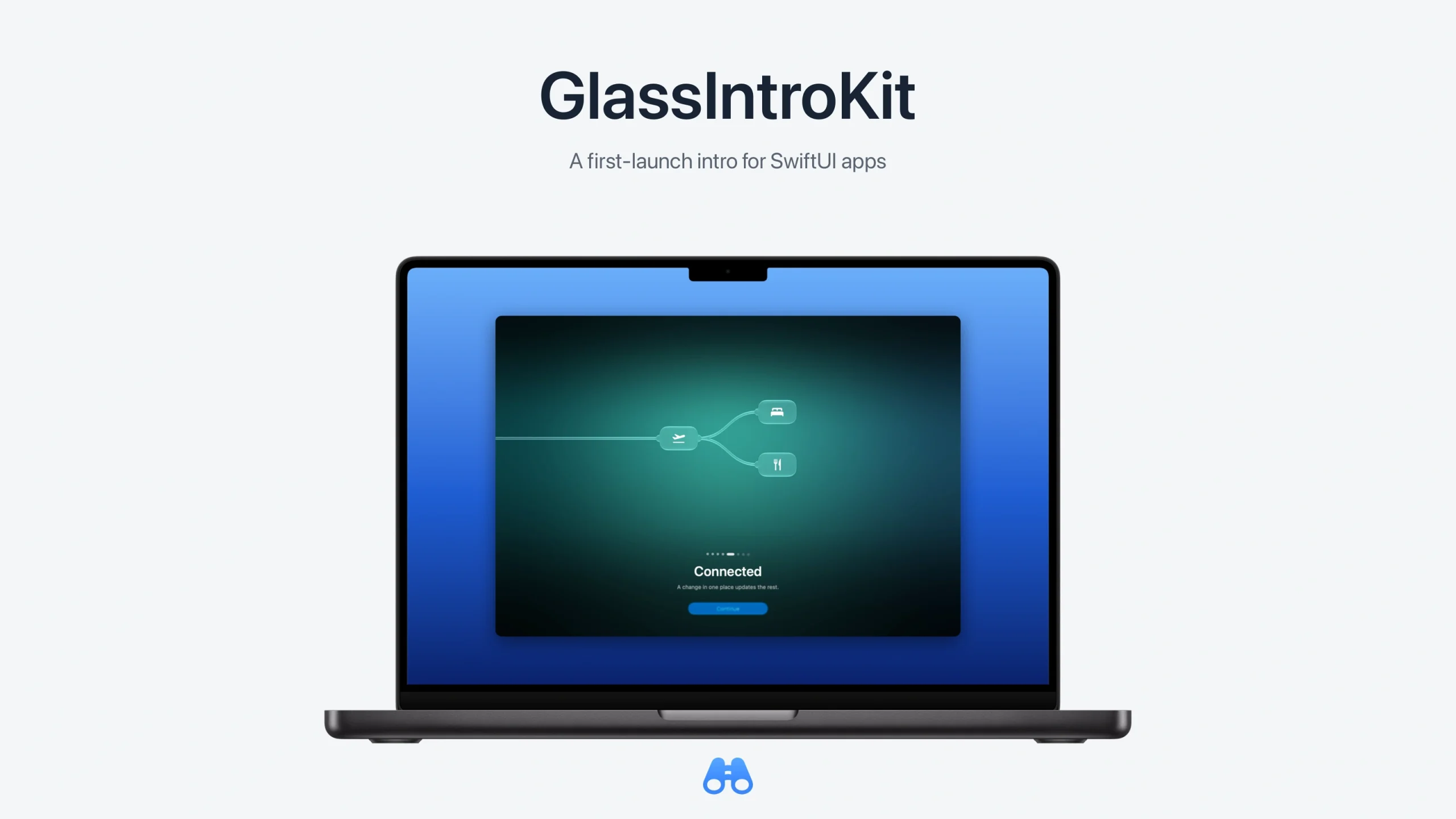
GlassIntroKit is a new open-source Swift package for giving a SwiftUI app an animated launch and first-run welcome. Released on October 17, version 0.1.0 brings configurable Liquid Glass visuals and Metal scenes to apps targeting iOS 26 and macOS 26 or later.
Disclosure: GlassIntroKit is developed by Jiaxu Li, the author of this article. This is a project introduction, not an independent review.
A welcome that carries its shapes between pages
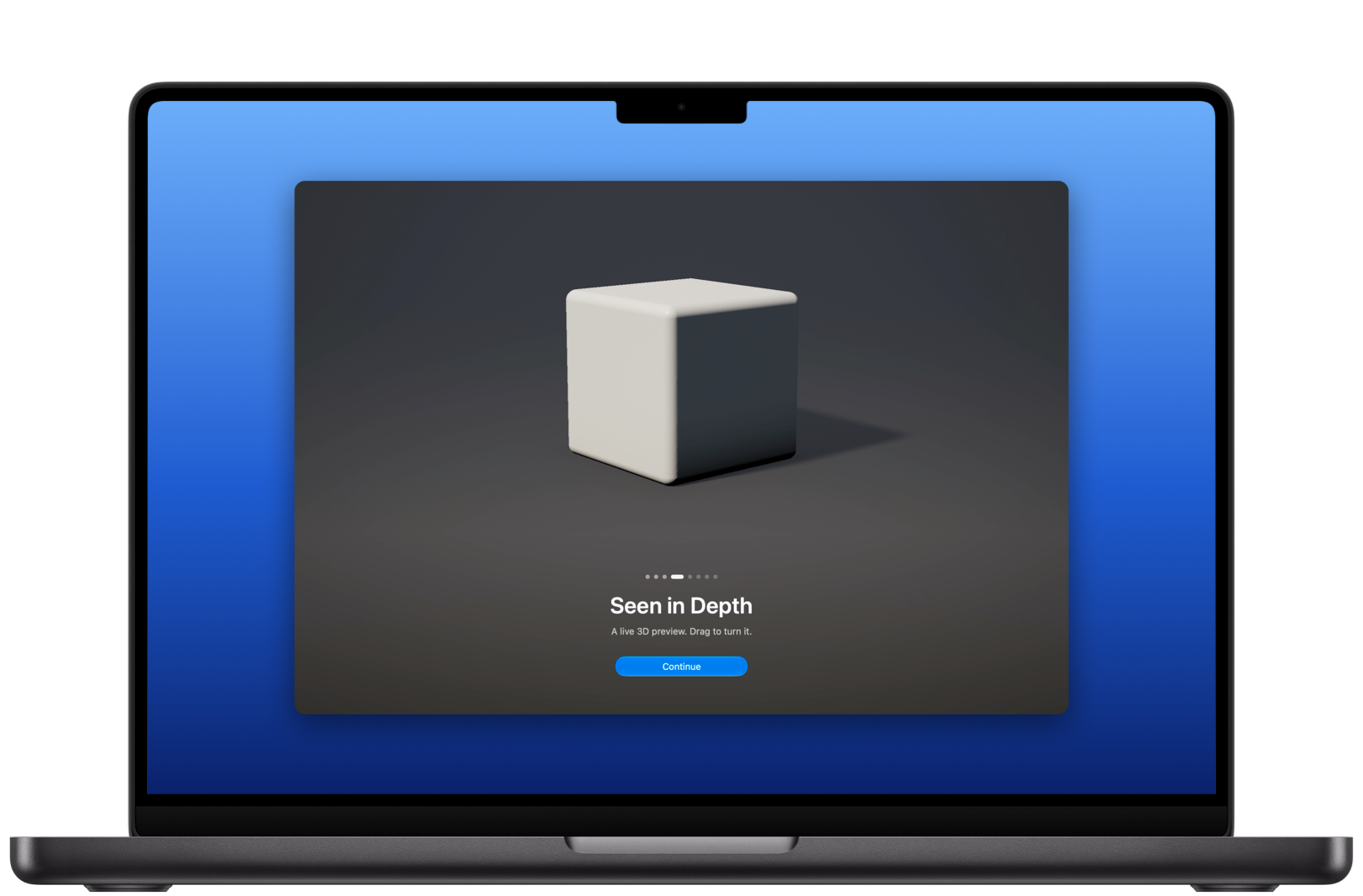
The sequence opens with an app’s mark on frosted glass, then moves into a welcome built from eight visual types: a handwritten greeting, the mark itself, scattered symbols, a 3D scene, a graph, falling nodes, an app icon, and a card containing a custom SwiftUI view. Eight is the number of visual types, not a limit on the number of pages.
Related visuals carry their shapes into the next page. Other combinations gather into a shared glass drop before the next visual appears. Developers can reorder or repeat pages, replace the branding, and customize the closing words and buttons.
The package uses SwiftUI’s native GlassEffectContainer and glassEffect APIs. Its additional work is coordinating the intro: page transitions, presentation timing, branding, and the final reveal of the app. The built-in 3D scene uses a ray-marched Metal shader with configurable shapes, colours and motion.
Start with a root-view modifier
Add the 0.1.0 release through Swift Package Manager, import the module, and attach an intro to the root view:
import GlassIntroKit

ContentView()
    .glassIntro(
        appName: "My App",
        pages: [
            .greeting("Welcome", message: "A place to begin."),
            .icon("Ready to go", message: "Make it yours.")
        ]
    )
The welcome appears once by default. A GlassIntro configuration provides every-launch and never-show options; a binding-based modifier can replay it on demand. The included iOS and Mac demo lets developers adjust the configuration and generate integration code.
What to check before adopting it
The package manifest requires Swift tools 6.3 and iOS 26 or macOS 26. There are no external package dependencies. A stored Boolean remembers whether the welcome has been shown.
Reduce Motion substitutes a fade for the launch animation and shows completed page visuals. Keyboard navigation and labelled VoiceOver page indicators are included. Built-in interface text is English, with customization points for an app’s own wording.
A custom scene can show SwiftUI or RealityKit content through the glass lens, but that embedded content is non-interactive. Developers should test the sequence on their target devices and with accessibility settings before shipping; this introduction does not report independent performance testing.
Code is available under Apache 2.0. The demo’s forest image is explicitly excluded from that license. The repository includes installation instructions, documentation and the demo project.