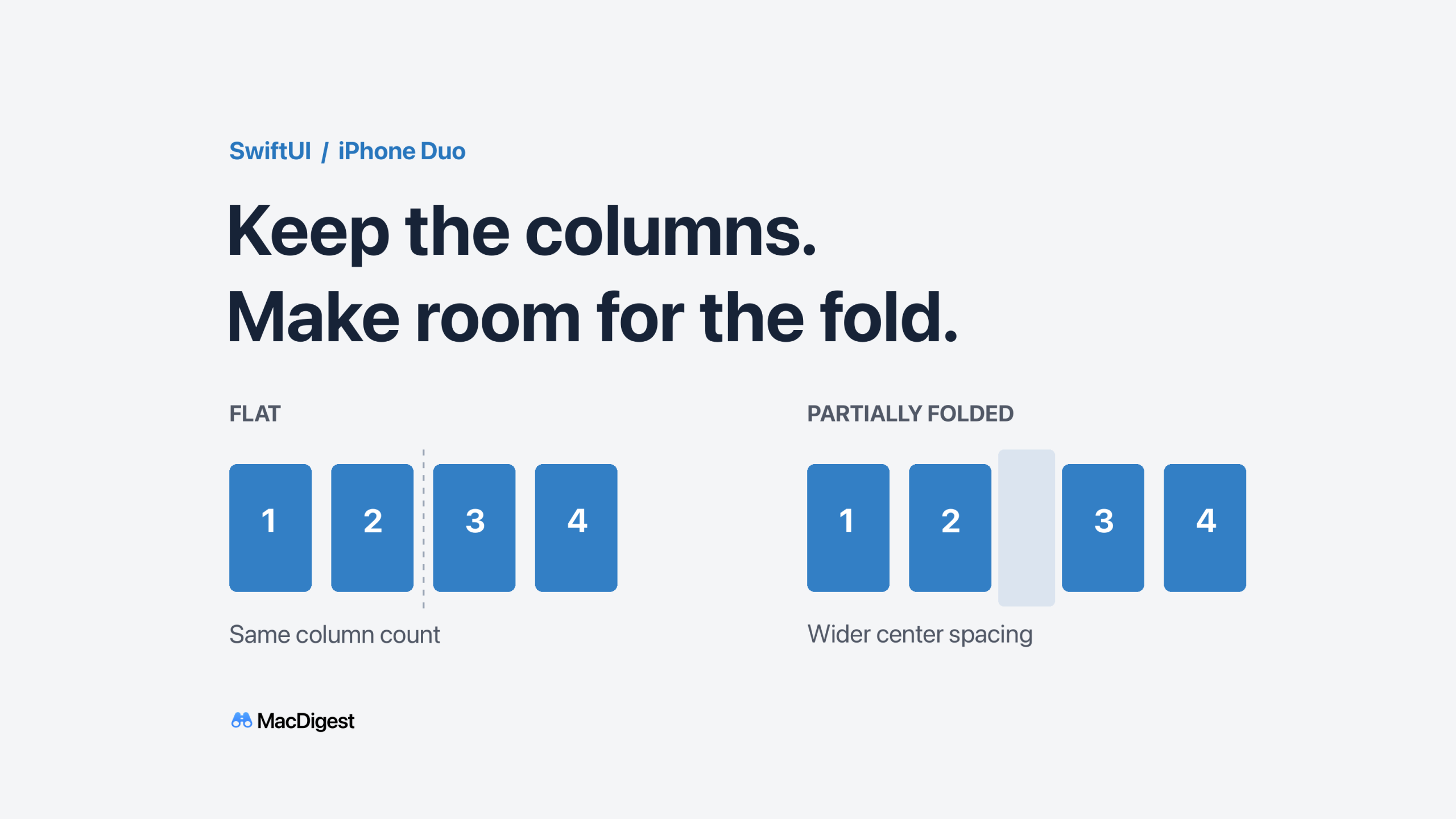
A stable column count can keep items in their columns while spacing adapts to the fold. Code-rendered schematic by MacDigest; not a device screenshot.
A custom SwiftUI grid on iPhone Duo needs two decisions: how many columns to keep, and how much space to leave at the fold. Making both decisions only when the fold becomes active can reshuffle content just as someone bends the device.
Natalia Panferova’s October 21 tutorial on Nil Coalescing illustrates the problem with a book grid that changes from five columns to four. Its useful lesson is to consider the fold before it starts dividing the layout. This is implementation guidance for existing APIs, not an API announcement.
Separate column choice from fold spacing
Apple’s reserved-region query, available from iOS 27.1, returns active regions by default. Requesting the .division kind finds a fold that divides the view. Adding .includeInactive lets the layout discover that division even while it is inactive; isActive distinguishes the current state.
Use that distinction to choose a suitable even column count while the device is flat, then keep that count as the fold becomes active. Adjust column widths and the center gap to fit content on either side. Apple’s adaptive-layout talk explicitly recommends using inactive regions for decisions such as preferring even column counts. This avoids a fold-triggered column-count change; it does not mean every item must stay at an identical screen position.
Measure the view you actually lay out
Apple’s ReservedRegion documentation says returned frames use the querying view’s coordinates and already include the region’s margins. Don’t calculate against the whole screen or add those margins a second time. Query near the custom layout that positions the content.
Frames mirror for right-to-left layouts by default. That matches layouts which also mirror automatically; manually positioned content that does not mirror needs the appropriate layout-direction behavior. A vertical fold also deserves particular attention in a vertically scrolling grid: scrolling up and down does not move a column away from that same horizontal position.
Check whether custom handling is necessary
Framework-provided split views and sheets already accommodate reserved regions. Scrolling containers do not automatically split their content around a division, so placing a grid inside a ScrollView is not enough. For just two related panes, consider ArrangementView before building your own region-driven layout.
Start the audit with centered controls and custom grids. Following Apple’s design guidance, test resizing and different device poses, then check text sizes and right-to-left layouts. Preserve access to content and controls, and move only what needs to move. An even column count is a layout choice to validate, not a reason to force four columns into every available width.